CCNA 200-301 Study Guide: Topics, Labs, and Readiness Checks
By Testara Team
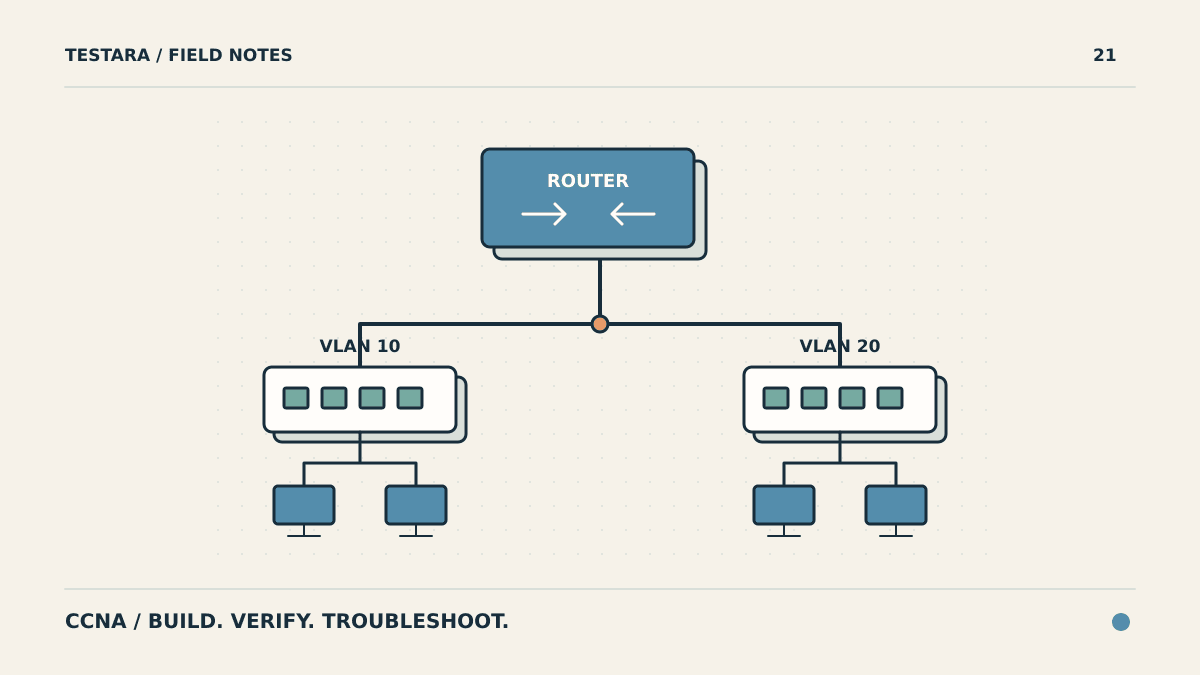
A useful CCNA study plan ends with a working network and an explanation of why it works. Reading about VLANs is different from finding a missing VLAN on a trunk. Memorizing a routing command is different from predicting which route a packet will use.
This guide turns the official 200-301 CCNA v1.1 blueprint into a sequence of study and lab tasks. Use it alongside the objectives, not as a replacement for them.
Version check: Cisco's exam topics page lists February 2, 2027 as the last date to take v1.1 and February 3, 2027 as the first date for v2.0. This guide covers v1.1. If your booking is for v2.0, use that version's blueprint before choosing materials or allocating study time.
What the CCNA v1.1 Exam Covers
Cisco describes v1.1 as a 120-minute exam. Its published domain weights are:
| Domain | Weight | Evidence to produce while studying |
|---|---|---|
| Network fundamentals | 20% | An addressing plan and an explanation of packet movement |
| Network access | 20% | A verified VLAN and trunk configuration |
| IP connectivity | 25% | A routing table you can interpret and troubleshoot |
| IP services | 10% | Working address assignment, translation, and time services |
| Security fundamentals | 15% | A tested access policy and protected management access |
| Automation and programmability | 10% | An explanation of an API request and its JSON data |
The weights and domain names come from the official blueprint. The evidence column is our suggested practice method. It is not a description of the exact tasks you will receive on the exam.
Start with an Addressing and Forwarding Baseline
Before following a long course, check whether you can explain a small network without notes. Draw two LANs, their gateways, and the link between two routers. Assign addresses and identify which devices share a subnet.
For example, divide 192.0.2.0/24 into four equal subnets. Each subnet has a /26 prefix and 64 addresses. The network addresses are .0, .64, .128, and .192. In the first subnet, the conventional usable host range is .1 through .62, and .63 is the broadcast address.
Then explain what a host does when the destination is outside its subnet. Distinguish the next-hop MAC address from the destination IP address. If that explanation is unclear, spend more time on Ethernet, ARP, addressing, and default gateways before adding routing protocols.
Repeat the exercise with IPv6 prefixes. Do not apply IPv4 broadcast assumptions to IPv6.
Build One Lab in Layers
A small topology is enough to expose many gaps. Use two switches, two routers, and a few endpoints in a simulator or isolated lab. Save a working baseline before introducing faults. The following tasks are study exercises, not a claim that a simulator reproduces every exam feature.
1. Separate and Connect VLANs
Create two user VLANs, assign access ports, and configure the link between switches as a trunk. Verify the VLAN membership and which VLANs the trunk carries. Add inter-VLAN routing and test both same-VLAN and cross-VLAN traffic.
Introduce one fault: remove a required VLAN from the trunk's allowed list. Predict which traffic should fail before testing it. Use observations to locate the problem instead of immediately replacing the whole configuration.
2. Make Routing Decisions Visible
Configure static routes, including a default route, then practice single-area OSPFv2 as specified in the blueprint. Read the route prefix, next hop, source, and metric from the routing table.
For each destination, identify the longest matching prefix first. Do not compare administrative distances across unrelated prefixes as though the lowest number always wins. Administrative distance helps select between route sources for the same prefix; forwarding uses the most specific installed match.
3. Add Services and Access Controls
Practice DHCP relay, inside-source NAT, NTP, SSH management, and access control lists. Change one feature at a time so that a failure has a small set of possible causes.
For an ACL exercise, write a policy in plain language before entering commands: which source may reach which destination, using which protocol? Test allowed and denied traffic. A successful ping alone does not prove that a policy for a specific application works.
4. Cover the Topics Your Lab Does Not Demonstrate
A routing lab does not cover the whole exam. Review wireless architecture and security, Rapid PVST+, EtherChannel, Layer 2 protections, and controller-based networking against the individual objectives.
The v1.1 blueprint also names generative and predictive AI, REST APIs, JSON, Ansible, and Terraform. Learn their roles and the depth requested by the objective. Recognizing a configuration-management tool is not the same task as building an entire production automation system.
Organize Study by Exit Criteria
Use these stages in order, but repeat a stage when its exit task reveals a gap. This is a suggested sequence, not a guaranteed completion timeline.
| Stage | Main work | Exit task |
|---|---|---|
| Foundations | Addressing, Ethernet, TCP/UDP, device roles | Explain a packet's path across two subnets |
| Switching | VLANs, trunks, spanning tree, EtherChannel | Diagnose a broken interswitch path |
| Routing | Static routes, OSPF, route selection | Predict the next hop for unfamiliar destinations |
| Services and security | DHCP, NAT, NTP, management, ACLs | Demonstrate both permitted and blocked traffic |
| Coverage review | Wireless, automation, remaining objectives | Explain each objective without relying on a memorized question |
If you need materials for each stage, use our separate CCNA resource guide. This article explains how to use resources; that guide helps you choose them.
Use Practice Questions to Diagnose the Next Lab
After a question set, classify each mistake as a missing concept, a configuration gap, an output-reading error, or a missed constraint. Include correct answers that were guesses.
Turn one error into a lab or a short explanation. For example, a wrong route-selection answer should lead to a new destination and a new routing-table exercise, not just another reading of the answer key. Return to fresh questions after the concept is clear.
Do not treat a score on a familiar question bank as a prediction of your Cisco result. Read practice exams versus real exams before using a percentage as your only readiness measure.
Before You Book
Confirm the exam version, delivery rules, language, and identification requirements with Cisco. Check every objective, including lower-weight domains. You should be able to configure a small network, verify its behavior, and explain failures without a step-by-step walkthrough.
Review your CCNA knowledge
Use practice questions to identify topics for your next review or lab session. Practice scores are not a guarantee of an exam result.
Browse Practice TestsFrequently Asked Questions
Which CCNA exam version does this guide cover?
This guide covers 200-301 CCNA v1.1. Cisco lists February 2, 2027 as its last testing date and February 3, 2027 as the first testing date for v2.0. Match your study materials to the version you book.
Do I need physical routers and switches to study for CCNA?
You can start with a simulator or a virtual lab. Check which commands and features your chosen tool supports. Physical equipment can add experience with cabling and interfaces, but buying a rack is not the first step in this study plan.
Does a high practice score mean I am ready for CCNA?
Not by itself. Repeated questions can measure recall of answers rather than networking skills. Combine fresh questions with independent configuration, verification, and troubleshooting tasks.